
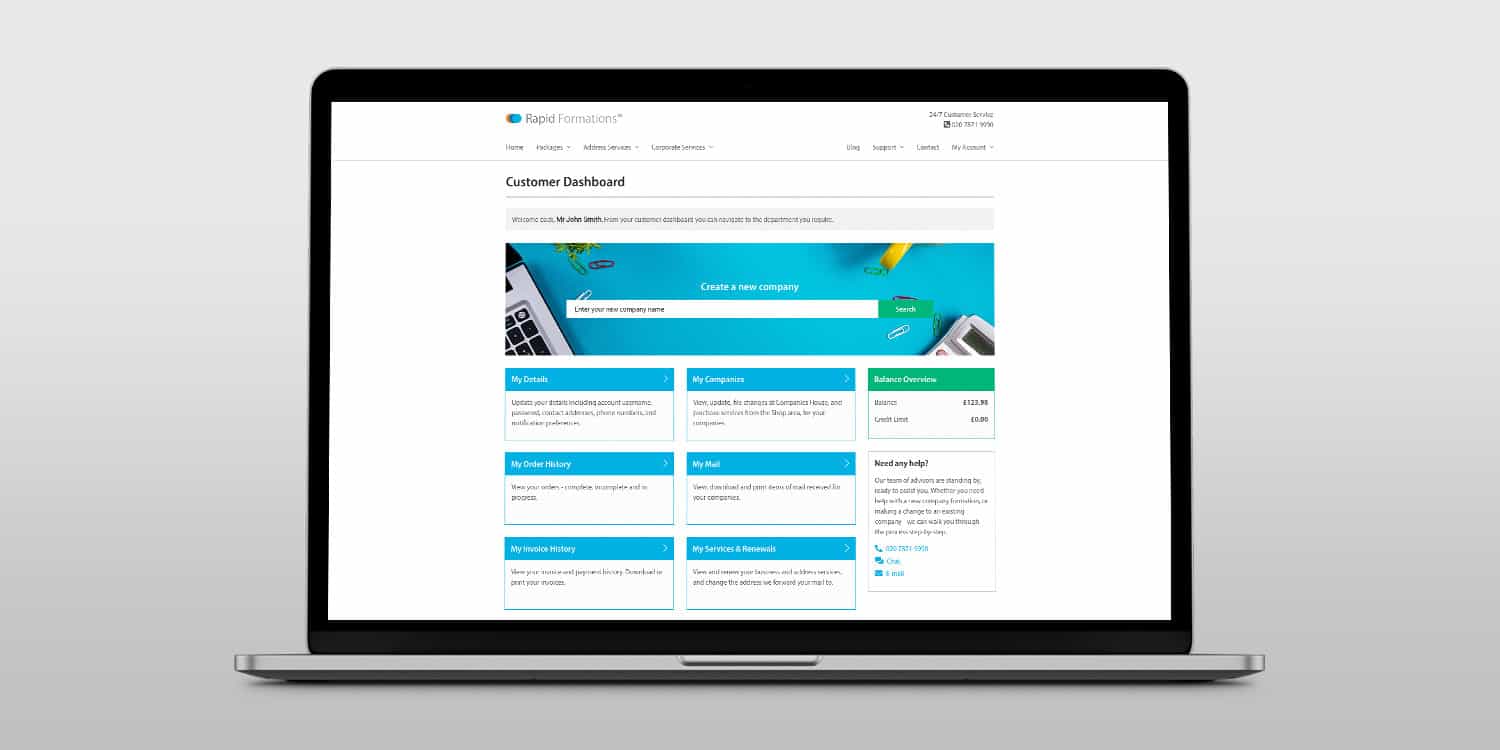

As someone who formed their limited company with Rapid Formations, do you know about your free Online Client Portal?
It’s an invaluable resource for managing your limited company – or companies – and monitoring the different services that you may have with us. In this post we’re going to walk you through each and every feature of the Online Client Portal to ensure you get the very most from it. Let’s get started.
Key takeaways
- Utilise the Online Client Portal to manage company details and ensure timely filing of confirmation statements and annual accounts.
- Access your dashboard to view comprehensive company information and make necessary changes directly through the portal.
- Keep track of renewals and invoices easily with the dedicated sections in the Online Client Portal for streamlined management.
Let’s log in
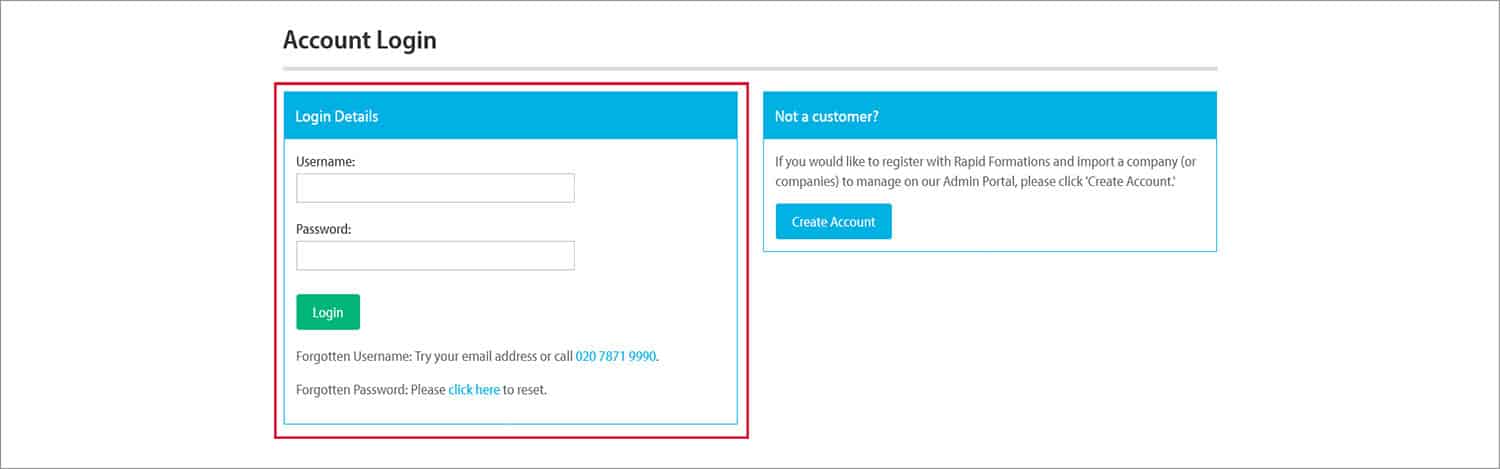
Provided that you used our company formation service to set up your company, you will already have an account. All you need to do is visit Rapid Formations and click on the ‘Log in’ link located on the top-right of your screen, then enter the username (normally your email address) and password you used when setting up your Rapid Formations account.
Welcome to your dashboard
You’ll now see the main hub of your account – the dashboard. This is broken up into eight clear sections plus a ‘Find Quick Answers’ area and a company name search tool (in case you wish to form another company).
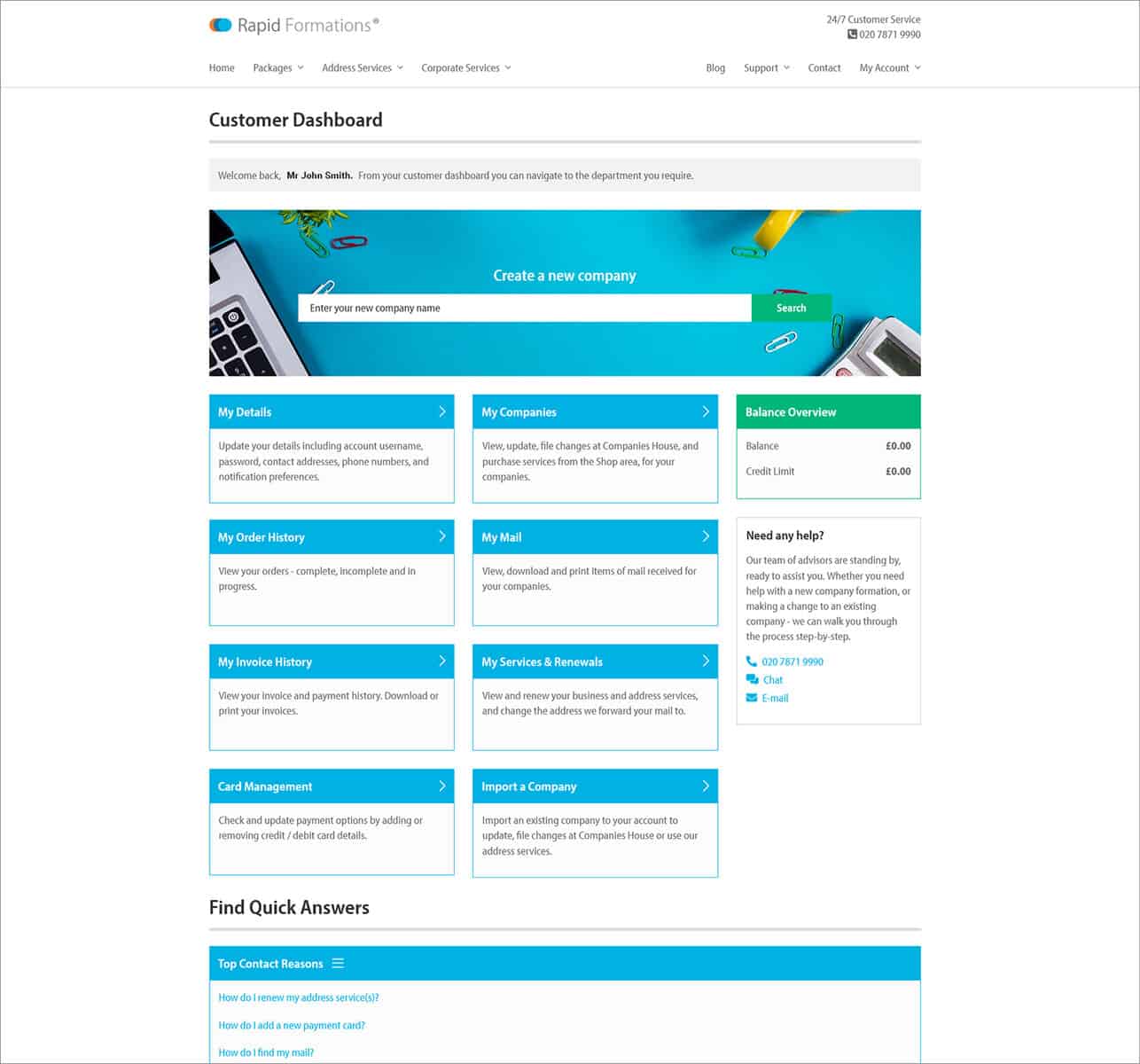
Now let’s look at the eight key functions of the Online Client Portal.


My Details
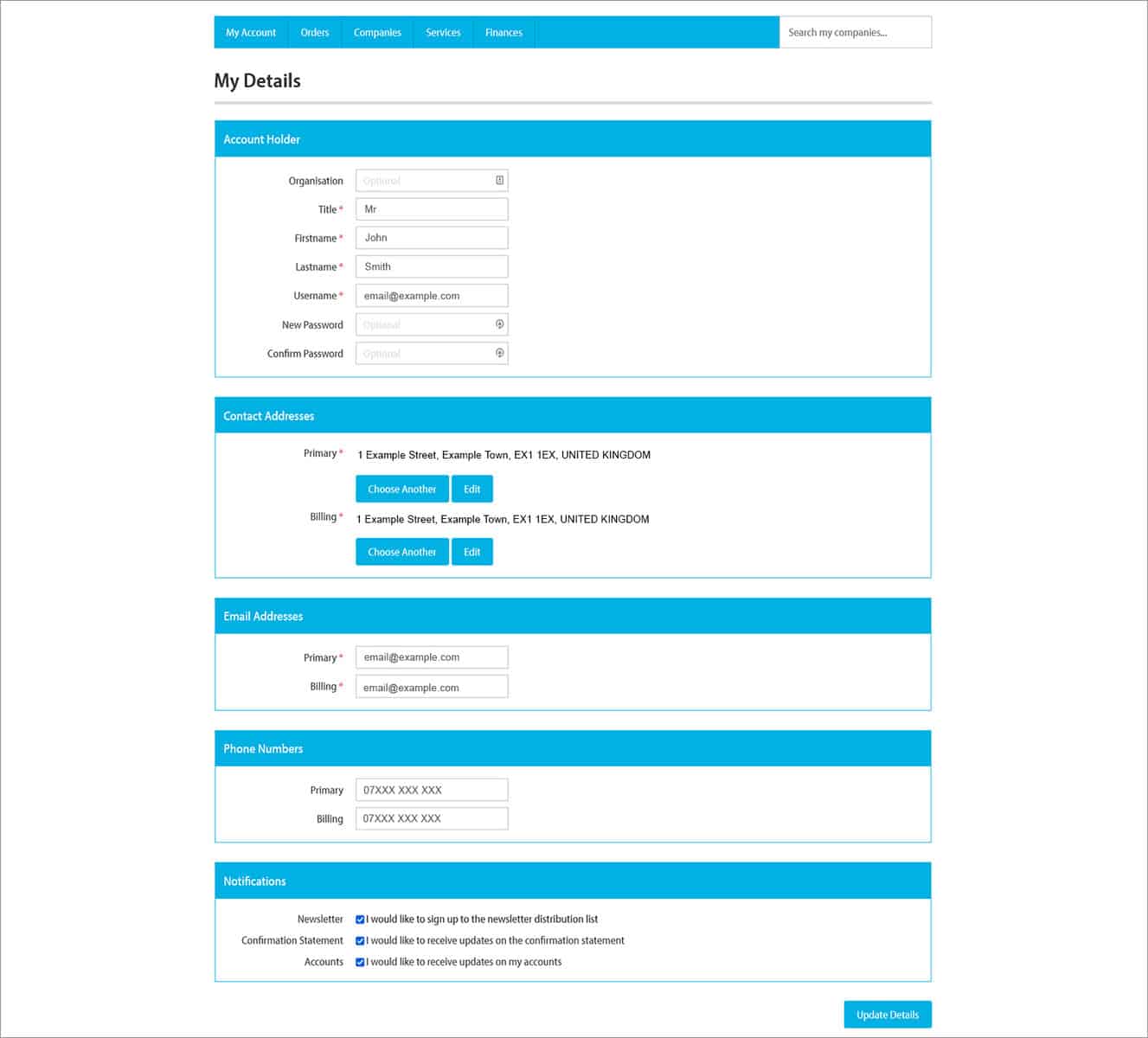
Here you can update your account information, such as the account holder’s name, username, password, and primary and billing contact addresses, email addresses, and phone numbers.
You can also manage the notifications that you receive from us, including the option to sign up for our monthly newsletter, and to receive email alerts when your confirmation statement and annual accounts due dates are approaching. This a handy and free tool to help make sure you don’t miss your filing deadlines.
My Companies
From here you can view the key company information for all of your companies.
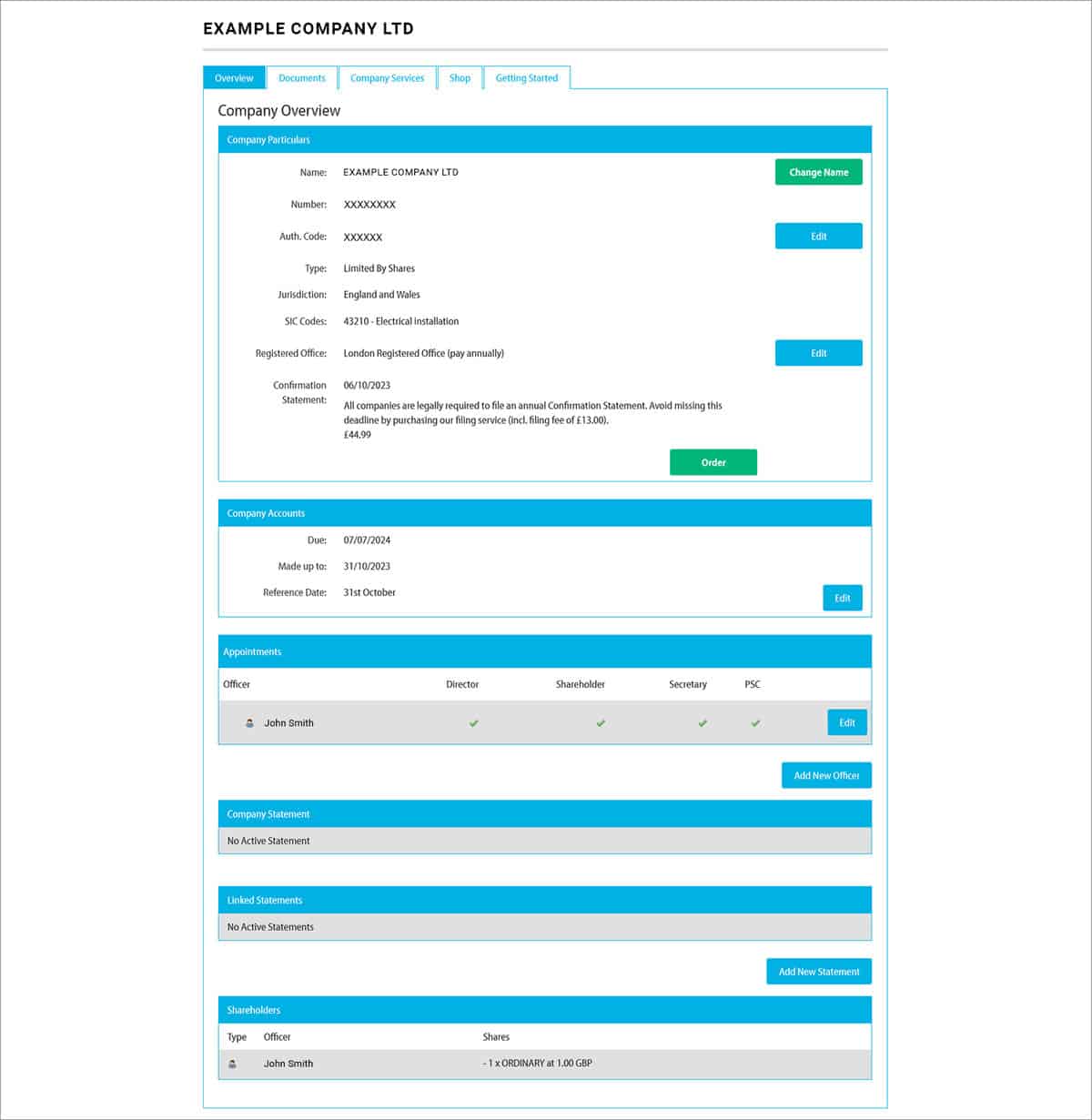
The ‘Overview’ tab allows you to see the following:


- Company name
- Company number
- Authentication code
- Company type (for example, ‘Limited by Shares’, ‘Limited by Guarantee, etc.)
- Standard industrial classification (SIC) code(s)
- Registered office address
- Due date for the next confirmation statement
- Due date and made up to date for the next annual accounts
- Accounting reference date
- All directors, shareholders, secretaries and people with significant control
- Any company statements and linked statements
- Breakdown of how shares are allocated
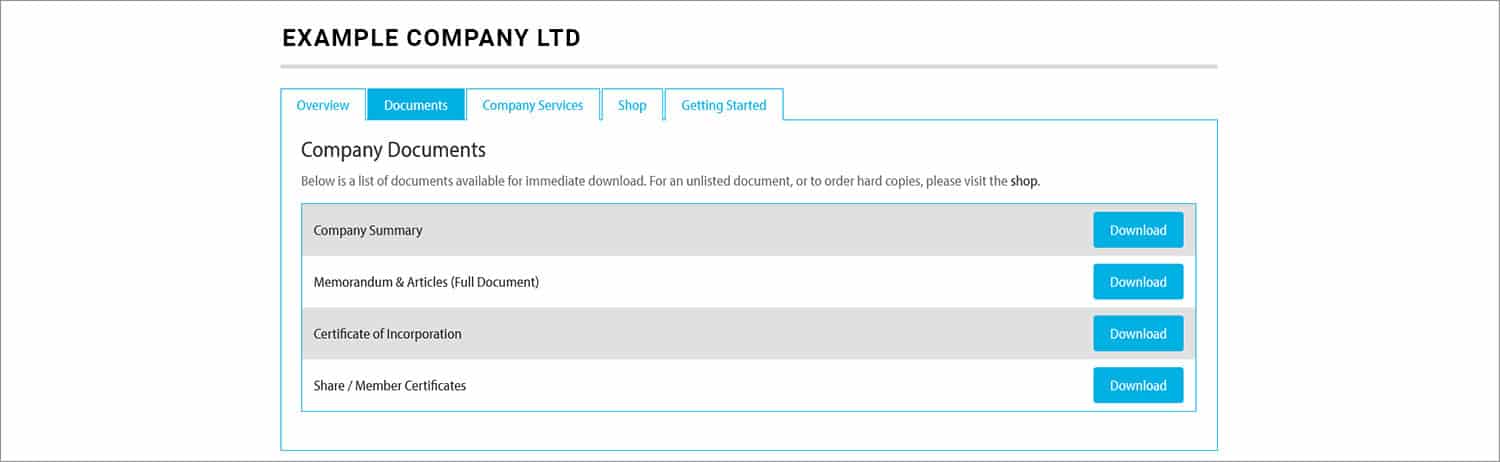
From the ‘Documents’ tab you can view and download the:
- Company summary
- Memorandum and articles
- Certificate of Incorporation
- Share certificates
The ‘My Details’ area doesn’t just let you view company information. Because the Online Client Portal is connected to Companies House, it also allows you to make actual changes to your company. For example, you can:
- Change your company name
- Change your registered office address
- Add, edit and resign directors
- Add, edit and resign secretaries
- Add, edit and resign people with significant control
- Add new people with significant control statements
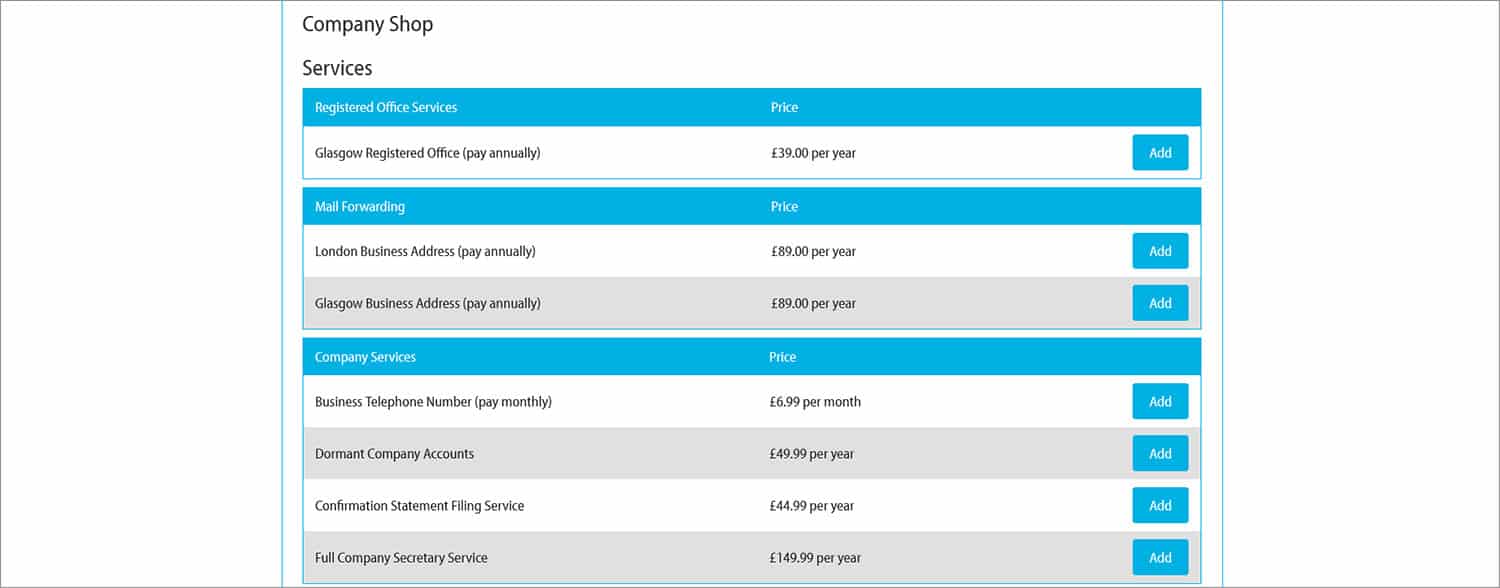
Plus, via the ’Company Services’ and ‘Shop’ tabs, you can purchase extra services that we offer, such as the Registered Office Address Service, Confirmation Statement Service and Dormant Company Accounts.


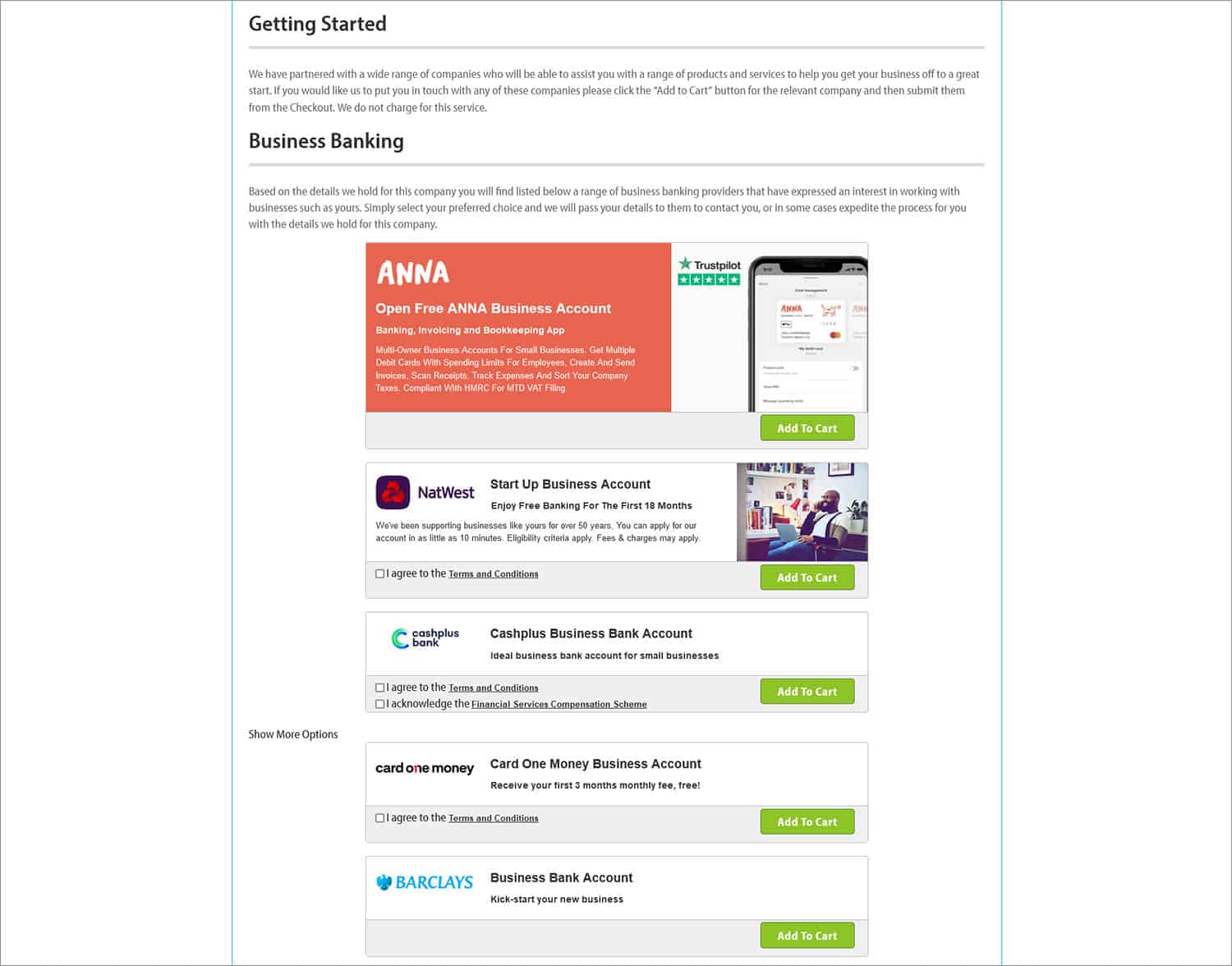
And through the ‘Getting Started’ tab, you can pick up a business banking account (we’re partnered with Anna, Barclays, Zempler, Lloyds, Monzo, NatWest, and Wise) and opt-in to other partner services such as accounting software, card acquiring and business forum membership.
As you can see, the ‘My Companies’ area really is the one-stop-shop for looking after your limited company.
My Order History
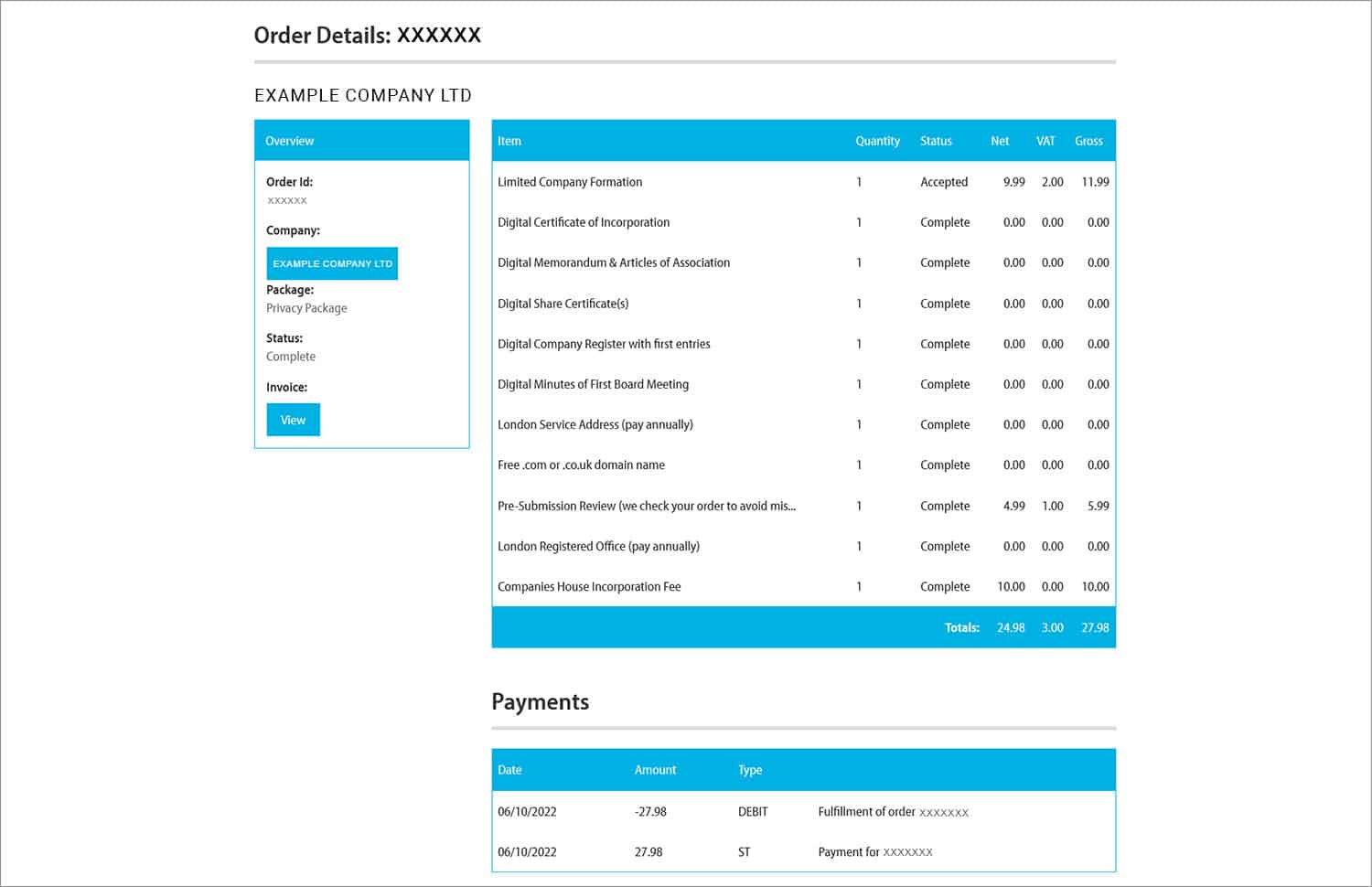
Every single purchase that you have made with us can be viewed in detail from here. If you select ‘Details’ next to a particular service, you then see each feature of the service that you have purchased, alongside how the cost is broken down.
My Mail
This is a useful area for customers who are using any of our address services.
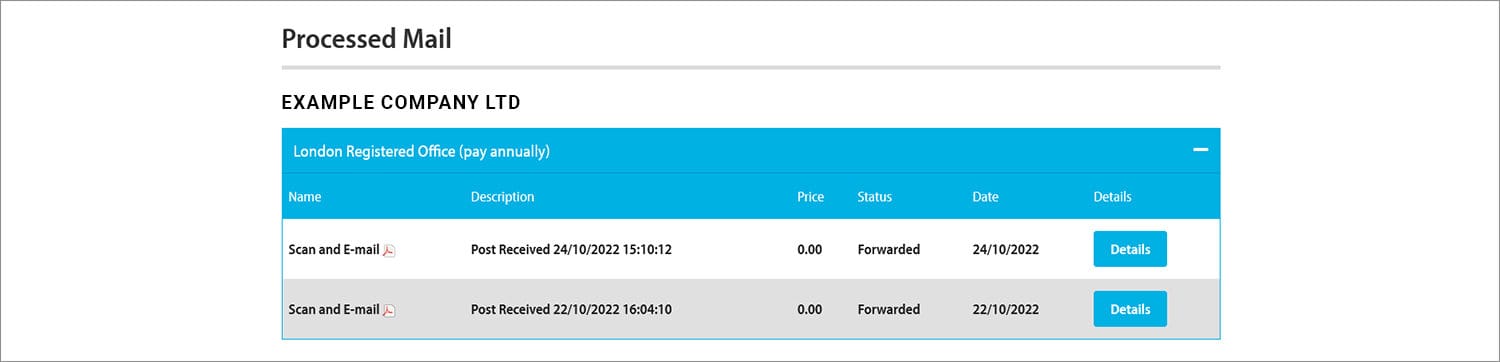
With our Registered Office Address Service and Service Address, we will accept your company’s mail from government bodies such as HMRC and Companies House. We will then securely open it, scan it and email it to you on the same day we receive it. For added convenience, we also store all the scans here.
What’s more, if you use our Business Address Service, whilst all mail is forwarded on by default, you also have the option to have mail scanned and emailed instead of posted. In this instance, any scans will also be placed here.
My Invoice History
All the purchases that you have made with us will automatically generate an invoice. This is the area to view, download and print these invoices.

My Services & Renewals
It can be easy to lose track of the different renewable services that you have with us. Thankfully, this area lists every service that you have with us, as well as the date that the service is due to renew.
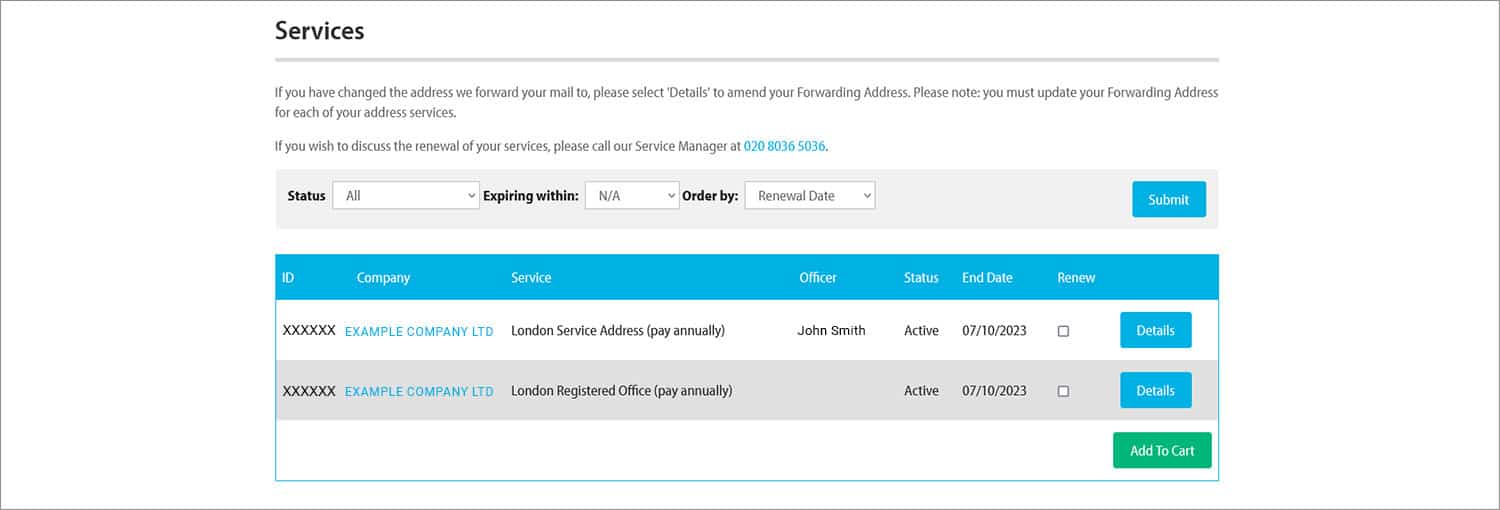
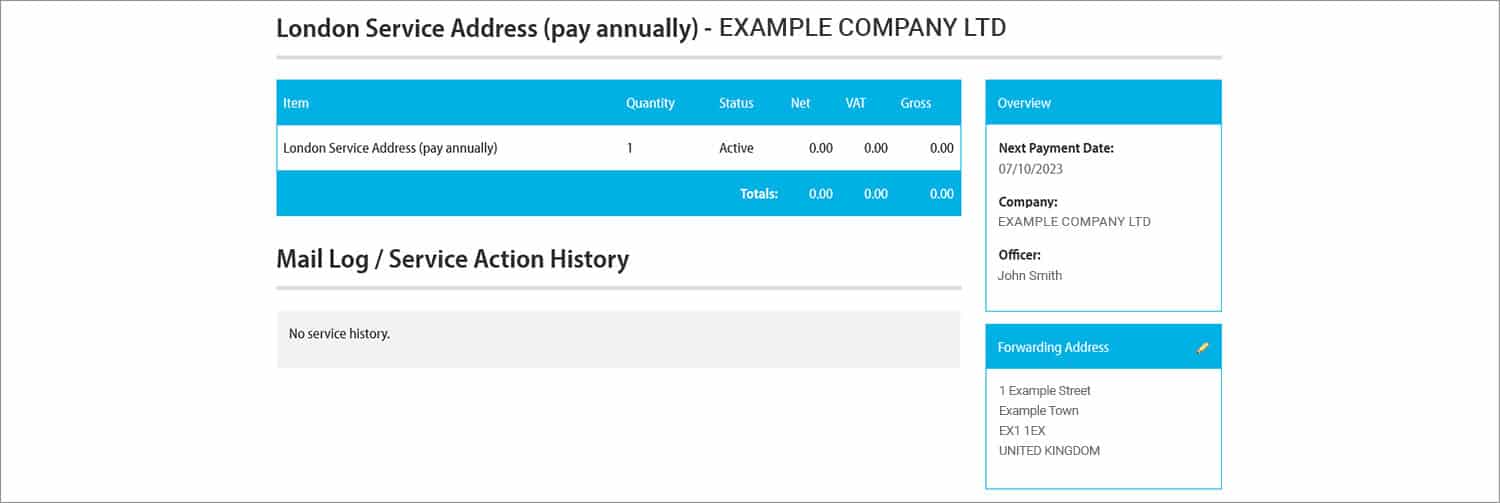
This section is also important, because it’s where you need to go to update your forwarding address – this being the address to which we send any mail that must be sent physically (relevant if you have an address service with us).
To update your forwarding address, all you need to do is select ‘Details’ next to the appropriate service. You can then click the pen icon next to ‘Forwarding Address’ and update the forwarding address.
Card Management
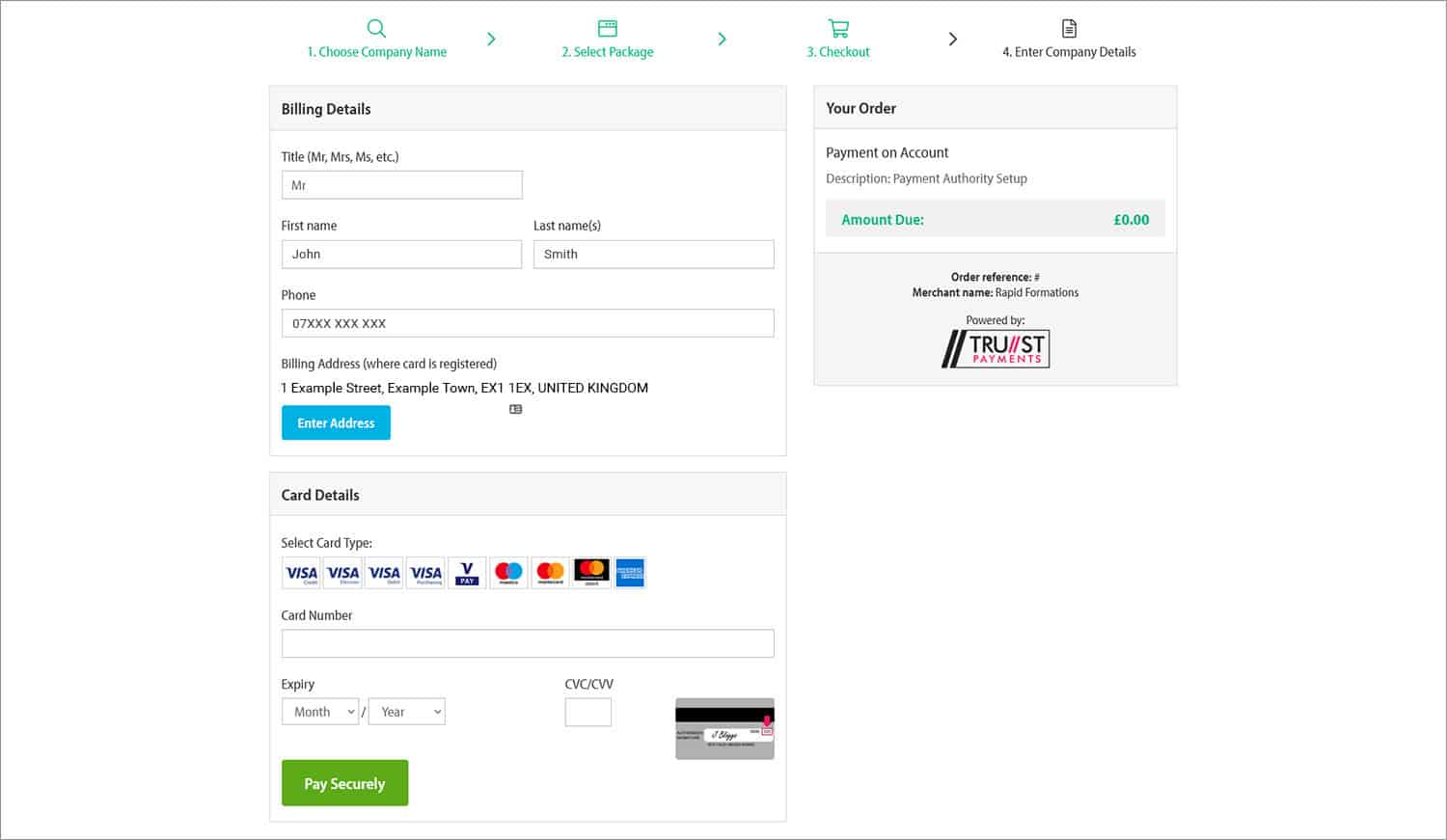
From time to time, you’ll probably need to update the card details you use for your renewable services and any ad-hoc services that you pick up. You can securely update the card information we have on your account by accessing ‘Card Management’ and then selecting ‘Set up Payment Authority’.
Import a Company
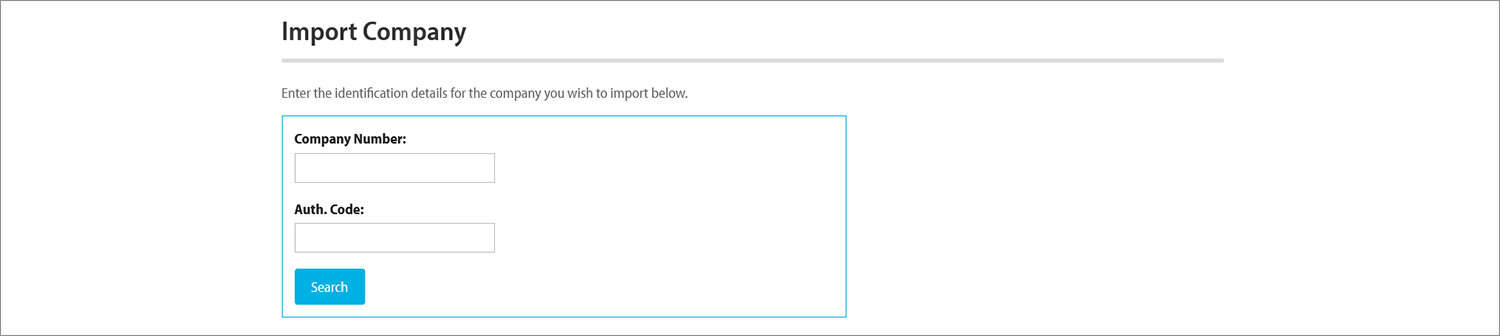
Would you like to add a company to the Online Client Portal that wasn’t formed by Rapid Formations? No problem. By entering the company number and company authentication number, you can import a company onto the system and then use the Online Client Portal to manage it. Once a company has been imported, you will be able to view it – and make any changes to it – from the ‘My Companies’ section.
So there you have it…
As we’ve shown, the Online Client Portal is the perfect alternative to Companies House WebFiling. It allows you to securely manage your limited company, and its accompanying services, in a quick and simple fashion. Log in now to try it out!
Didn’t form your company with us?
Don’t worry, you can still take advantage of our free Online Client Portal. All you need to do is create an account with us, and then use the ‘Import a Company’ facility to add the company – or companies – that you wish to manage via the system.
We hope you found this post helpful. Please leave a comment if you have any questions and we’ll get back to you as soon as possible.




Join The Discussion